
Change/Configure Information Bar options.
It is possible to edit/create new Information Bars through Fusion FX preferences. You can also set which Information Bar you wish to initially display in each of the available view types.
What do you want to do?
Preference: Create/Edit an information bar
- In the left pane, click Information Bar.
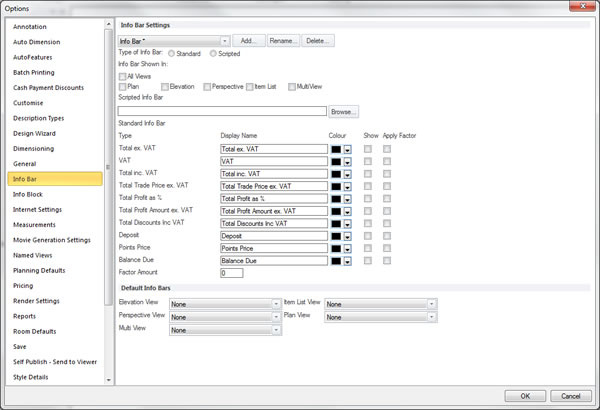
- Within the Info Bar Settings section, select or clear the desired options.
 TOP OF PAGE
Preference: Set an information bar to be displayed in each graphical view
- In the left pane, click Information Bar.
- Within the Default Info Bars section, set the desired information bars for each view.